Official Windows app on Microsoft Store
Free Windows drop
Live on Microsoft Store
No ads. No upgrade trap.
Turn every card hunt into a market advantage.
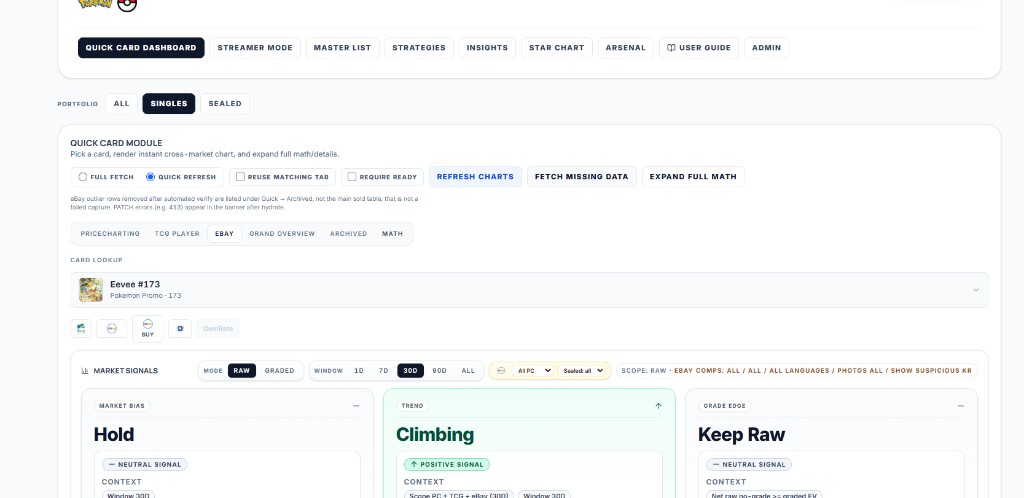
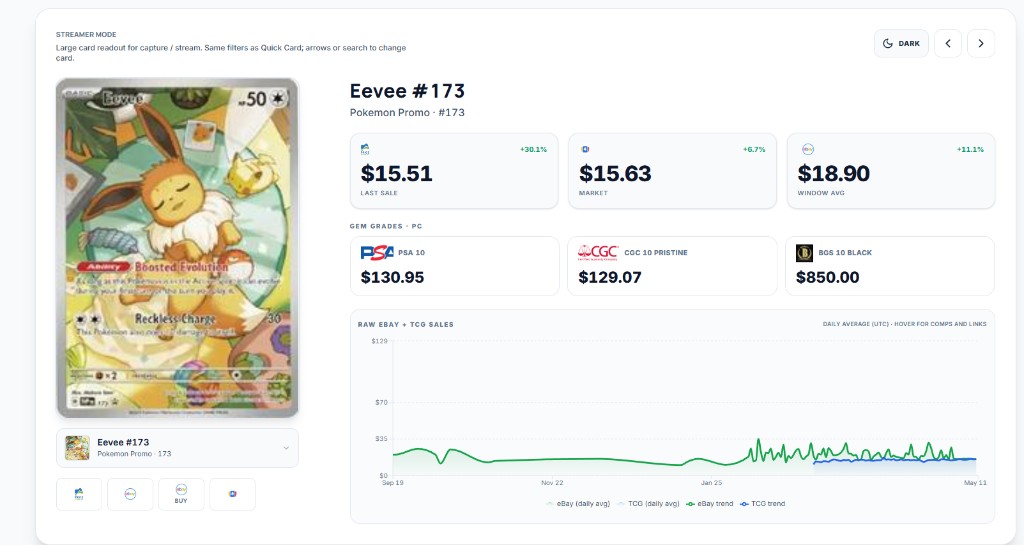
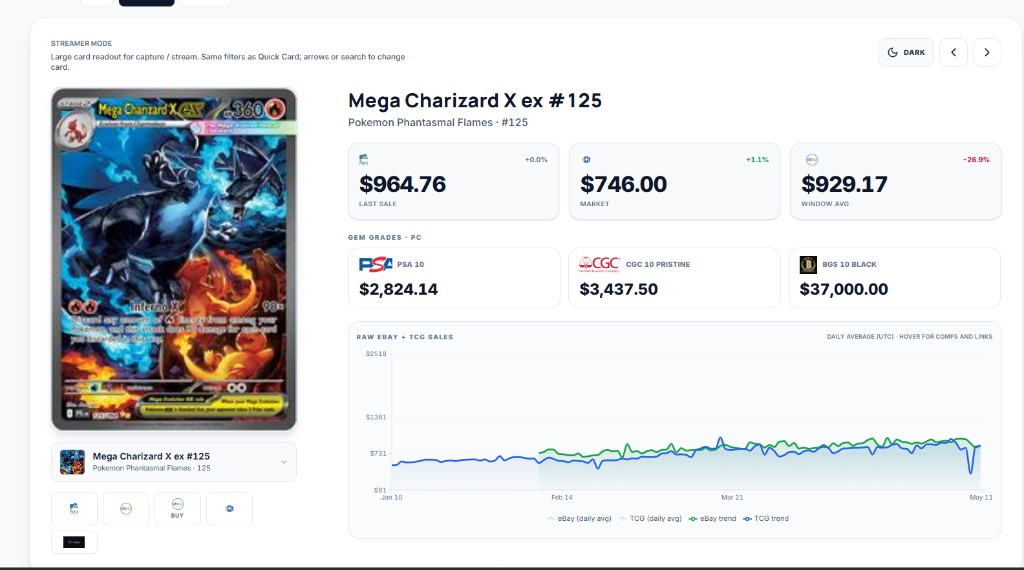
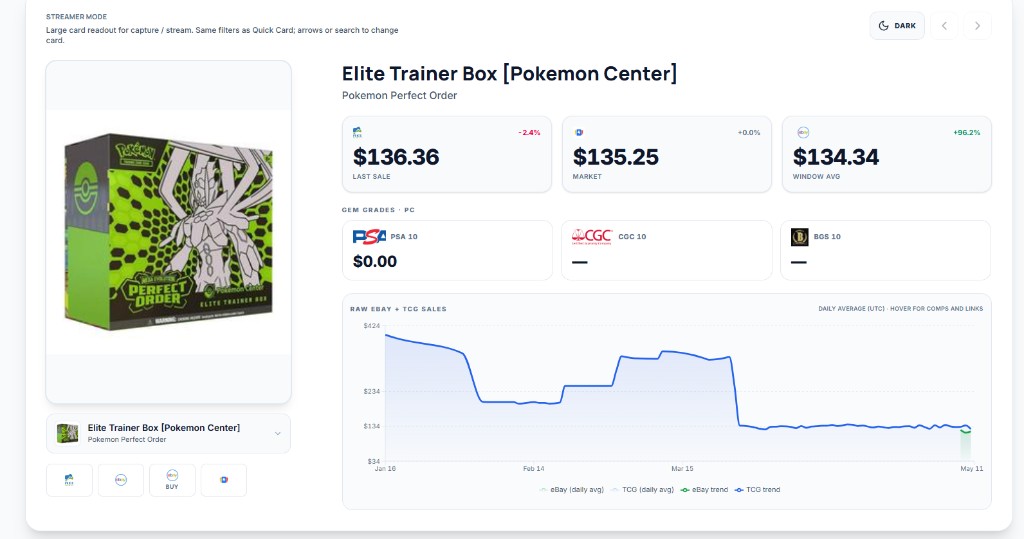
Raw Investor turns scattered comps into a fast desktop signal: pricing lanes, trend bias, grade edge, sealed research, and a local portfolio, all free on Windows.
- $0Free to try
- StoreMicrosoft listing
- LocalPortfolio on PC
- No adsNo upgrade traps
Windows 10/11
TCG singles + sealed
Optional Edge capture
From listing to decision
under one workflow
- 1 Capture market context
- 2 Blend pricing sources
- 3 Decide: buy, hold, sell, grade
Why people download
It removes the buy-or-pass stall.
Collectors do not need another spreadsheet. They need a fast desktop workspace that turns scattered comps into a usable read before the opportunity disappears.
The free app that feels like opening an edge
Search a card. Watch the signal snap into place.
Raw Investor is built for the collector moment: a listing appears, the price feels close, and you need a fast answer before someone else takes the shot.
Capture
Compare
Decide
Save
Download & details
Windows 10/11 · 64-bit · run any combination side by side
Android 8+ companion app available
 Android 8+ companion app available
AI grading · model in training
RawGraded Studio
Still capture, guided video forensics, AI grading, certificates, and a local portfolio — Ollama or Google Gemini on your PC.
- Guided video analysis — 5-step tilt/macro scan with forensic frame capture
- AI grading — front & back stills with Gemini or Ollama vision
- Portfolio tracking — save graded cards locally; search, archive, provenance
- PSA-style centering with border detection · live sharpness guidance
- Market snapshots — TCG/PriceCharting price refresh from the certificate flow
- Model refinement ongoing — expect grading logic to improve over time

Market analytics · Microsoft Store
Raw Investor
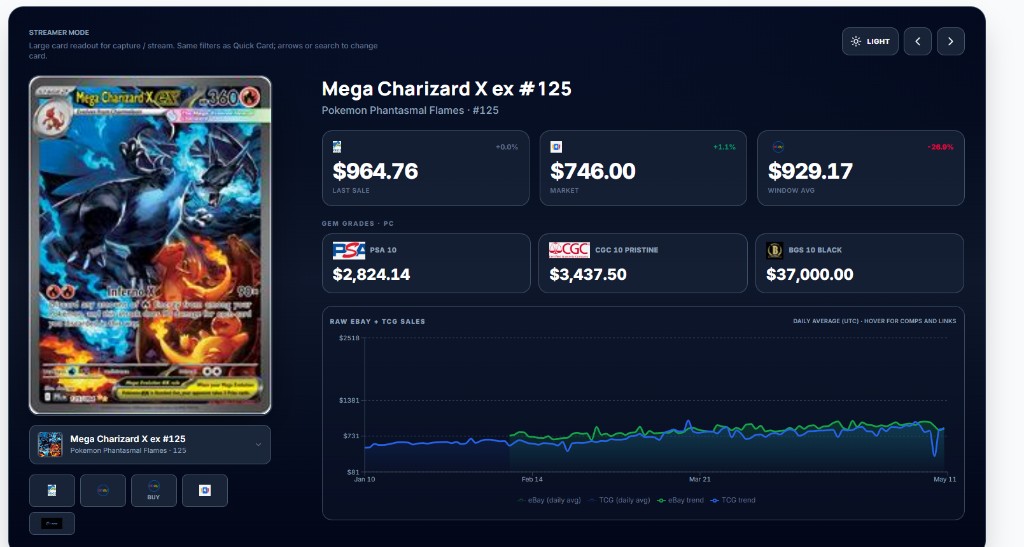
Desktop browser workspace for singles and sealed — blend eBay, TCGplayer, and PriceCharting into actionable signals.
- Multi-source price blending & time windows
- Market Bias, Trend, and Sales Strategy signals
- Edge/Chrome capture extension + local API
- Quick Card workspace & streamer layouts
- Grade-edge and sealed product support
Also available direct
Tab capture extension
Markets terminal · logo coming soon
RawMarkets
Windows desktop terminal for metals, energy, equities, and portfolio research — local SQLite, scrapers, and optional local AI on your PC.
- Multi-asset dashboard — commodities, energy, equities, and news signals
- Local portfolio research and SQLite-backed history
- Optional local AI copilot — data stays on your machine
- Official logo and store listing in progress
Companion app
Android app
RawGraded Studio Mobile
Same grading workflow on Android phones and tablets — optimized touch UI with camera capture.
- Full grading pipeline — upload or camera capture, AI analysis, certificates
- Portfolio sync with desktop via local network
- Touch-optimized cropper and video guidance
- Works with Ollama (local) or Gemini (cloud)
How setup works
Download the portable .zip, extract anywhere, and run the app — no installer required. Studio walks you through AI setup on first launch.
-
Download & run (portable)
Download RawGraded-Studio-1.0.0-win-unpacked.zip from the download page. Extract the folder (Desktop, USB, or any path), then run RawGraded Studio.exe at the top level of the extracted files.
-
Raw Investor (portable)
Download RawInvestor-portable-beta-0.1.1-win-x64.exe or install from the Microsoft Store. Runtime data can live beside the EXE when used portably.
-
NSIS installer (optional)
Prefer a setup wizard? Use the NSIS installer instead. On the optional Local AI screen, keep Install Ollama checked and optionally queue Download vision model on first launch (~4–8 GB; requires internet once).
-
First launch bootstrap
If you queued a model download, Studio may show a bootstrap screen that installs or starts Ollama and pulls
llama3.2-vision. Watch the progress log until setup completes. -
Choose your AI provider
Local & private (Ollama) — free grading on your PC; Studio can install Ollama and the vision model for you.
Cloud (Google Gemini) — paste your API key from Google AI Studio for highest accuracy. -
Ollama checklist (if using local AI)
Confirm: Ollama installed → Ollama running (port 11434) → vision model present → Continue to Studio. Use in-app buttons to install, start, or download the model if needed.
-
Grade your cards
Upload or webcam / DroidCam → crop front and back → PSA-style centering → optional guided video scan → AI analysis → export your certificate → add to your local portfolio.
Stuck on local AI? Use Use Gemini (cloud) instead on the bootstrap or launcher screen to skip Ollama and enter your API key.
System requirements
Desktop apps are Windows-only. Studio tiers depend on whether you use cloud Gemini or local Ollama.

RawGraded Studio
64-bit · grading & certificates
Minimum (Gemini cloud)
- OS
- Windows 10 or 11, 64-bit
- Processor
- 64-bit dual-core or better
- Memory
- 8 GB RAM
- Storage
- ~1 GB free
- Display
- 1280×720 minimum
- Network
- Internet for Gemini API
Recommended (local Ollama)
- Memory
- 16 GB RAM
- Storage
- ~12 GB (app + Ollama + llama3.2-vision)
- First launch
- Internet for model download (4–8 GB) if queued
- Webcam
- Optional — USB or DroidCam
- Graphics
- Optional GPU (faster inference)
Installer can optionally install Ollama and defer the vision model to first launch.
Raw Investor
64-bit · market workspace · beta
Recommended
- OS
- Windows 10 or 11, 64-bit
- Memory
- 8 GB RAM (16 GB for large portfolios)
- Storage
- ~500 MB app + local SQLite data
- Browser
- Microsoft Edge or Chrome (capture extension)
- Network
- Internet for market capture & charts
- Local API
- Loopback
127.0.0.1:3001
Portable build (~311 MB) needs no install. Load the MV3 extension from the app folder after first launch.
RAW ENGINE is a local-first software suite for collectors and researchers — grading intelligence, TCG market analytics, and a markets terminal in development. Studio combines still capture, guided video forensics, and portfolio tracking while the vision model is actively in training. Use the web dashboard today or download any desktop app from the launcher above.